
ProfoundOS

ProfoundOS Print

Keep your printing jobs moving from quotation to invoice.

A print order carries more detail than a simple counter sale. ProfoundOS Print gives advertising and printing teams a shared place for quotations, job measurements, production progress and customer payments.

For printing shops and advertising businesses handling measured jobs, material requirements, quotations and production handovers.

Apply for a workspace

Email verification and Platform Owner review required.

Inside the workspaceDemonstration data · actual application

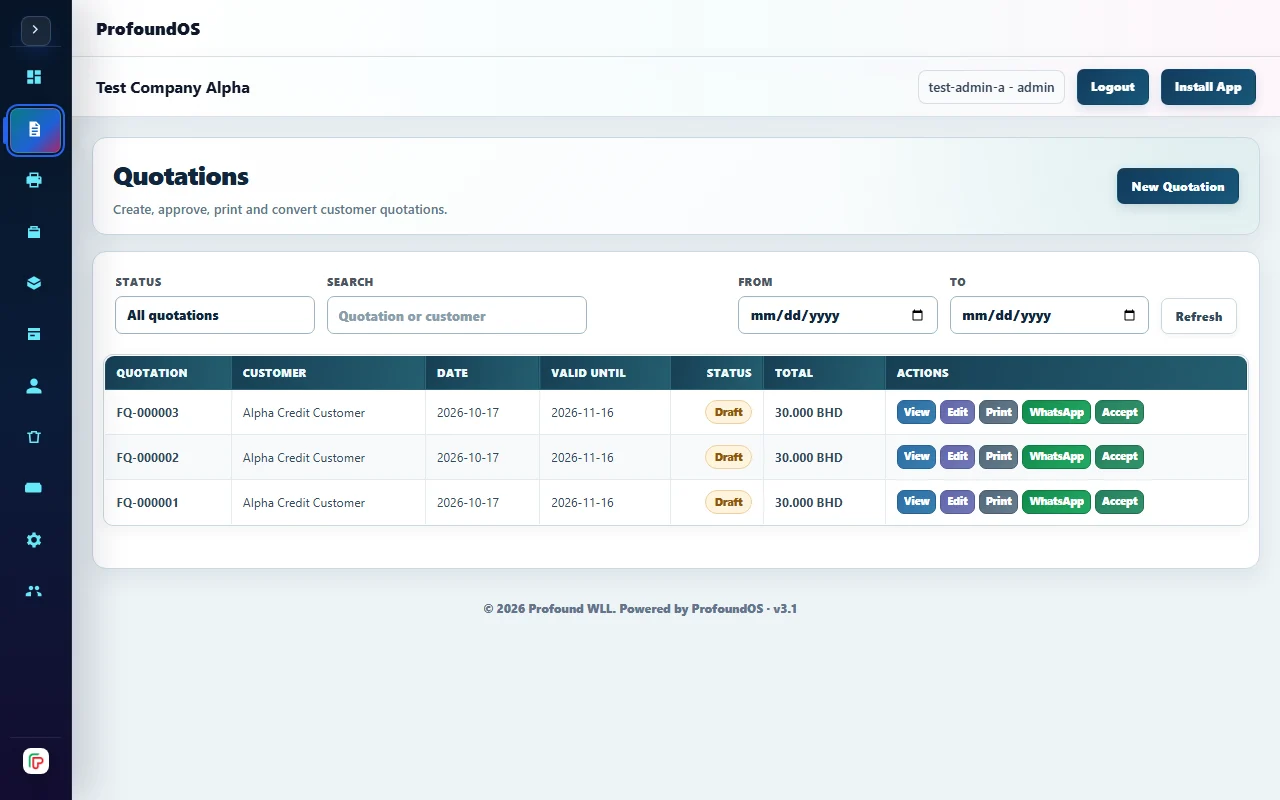
ProfoundOS Print workspace preview

Print quotation workspace with measurement and job controls. Demonstration data.

Existing printing tools keep quotations and production work in one online workspace. Demonstration data. Your own company records appear after sign in.

Built for your daily work

Stop losing the job details between sales and production.

A price agreed at the counter is only the beginning. The team also needs the dimensions, quantities, material choices and current job status. Keeping these details beside the quotation and customer account helps the office and production team work from the same record.

01

Build a quotation around the actual job

Use the printing quotation workflow with the supported dimensions, units, quantities and product pricing. Measurement-aware calculations help describe the work being priced; the team remains responsible for confirming the customer’s specification.

02

Make the production handover clear

Track print jobs, priorities and production status in the printing workspace. Keep the job record available to the people doing the work so they can check progress and the materials associated with the order.

03

Connect completed work to its invoice

Use the existing sales and invoice workflow when the job is finalized, then follow customer payments and outstanding balances. Purchasing, stock and accounting remain connected to the company’s printing operation.

From one step to the next

A practical flex printing workflow.

  1. Describe and quote the work

    Record the customer requirement, dimensions, quantities and supported pricing details in a quotation.

  2. Move the job through production

    Create and update the job record as the team works through the supported production statuses.

  3. Finalize and collect

    Finalize the work through the sales workflow and review its invoice, payments and outstanding customer balance.

A few things to know.

Can I price work using dimensions?

The printing domain supports measurement-aware quantities and units for configured products. Confirm your materials, measurement units and pricing workflow during setup.

Does it replace design or printer-control software?

The edition manages the business workflow around printing jobs. It does not claim to create artwork or operate printing machinery.

Can the production team work offline?

No. Flex Printing is online-only. Plan for connectivity wherever quotations and production job records are used.

Talk to Profound WLL

Let’s connect your
flex printing operation.

Discuss your business, your requirements and a product demonstration.

Verify your email and submit business details. Workspace access follows approval.